from typing import List, Any, Optional
import click
from ultralytics import YOLO
import cv2
import polars as pl
import sys
from pathlib import Path
from beehaviourlab.config import ConfigFiles, get_config

cfg = get_config(ConfigFiles.TRACKING)


[docs]
def save_bboxes_to_file(
    model_path: str,
    source_video: str,
    output_path: str,
    conf_threshold: float,
    xywh: bool = False,
    track: bool = False,
) -> pl.DataFrame:
    """Save bounding box detections from a video to a CSV file.

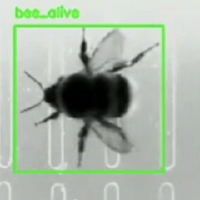
    Processes a video using a YOLO model to detect objects and optionally track them
    across frames. The resulting bounding box data is saved to a CSV file with
    configurable output formats.

    Args:
        model_path: Path to the YOLO model file (.pt format).
        source_video: Path to the input video file.
        output_path: Path where the output CSV file will be saved.
        conf_threshold: Confidence threshold for filtering detections (0.0-1.0).
        xywh: Whether to output bounding boxes in x,y,w,h format instead of
            x1,y1,x2,y2 format. Only applies when tracking is disabled.
        track: Whether to enable object tracking across frames.

    Returns:
        A Polars DataFrame containing the detection/tracking data with columns
        depending on the configuration:
        - With tracking: ["frame_id", "class_id", "x", "y", "w", "h", "track_id", "conf"]
        - Without tracking + xywh=True: ["frame_id", "class_id", "x", "y", "w", "h", "conf"]
        - Without tracking + xywh=False: ["frame_id", "class_id", "x1", "y1", "x2", "y2", "conf"]

    Raises:
        FileNotFoundError: If the model file or video file doesn't exist.
        ValueError: If the confidence threshold is not between 0.0 and 1.0.
        RuntimeError: If the video cannot be opened or processed.

    Note:
        When tracking is enabled, all detections are saved regardless of confidence
        threshold. The threshold only applies to non-tracking mode.
    """
    error_flag = False
    if not Path(source_video).is_file():
        click.echo(f"Error: Source file '{source_video}'  not found.")
        error_flag = True
    elif not Path(model_path).is_file():
        click.echo(f"Error: Model file '{model_path}' not found.")
        error_flag = True
    elif not (0.0 <= conf_threshold <= 1.0):
        click.echo("Error: Confidence threshold must be between 0.0 and 1.")
        error_flag = True

    if error_flag:
        sys.exit(1)

    model = YOLO(model_path)
    cap = cv2.VideoCapture(source_video)
    frame_id: int = 0

    data: List[List[Any]] = []

    while cap.isOpened():
        ret: bool
        frame: Any
        ret, frame = cap.read()

        if not ret:
            break

        if track:
            results = model.track(
                frame,
                persist=True,
                tracker=cfg.ultralytics_config,
                verbose=False,
            )[0]
        else:
            results = model(frame)[0]

        if results is None:
            frame_id += 1
            continue

        if track:
            ids: Optional[Any] = results.boxes.id
            if ids is None:
                frame_id += 1
                continue

            iter_boxes: Any = zip(results.boxes, ids)
        else:
            iter_boxes: Any = [(box, None) for box in results.boxes]

        for box, id_tensor in iter_boxes:
            conf: float = round(float(box.conf[0]), 3)
            class_id: int = int(box.cls.item())

            if track:
                track_id: int = int(id_tensor.item())
                x1: int
                y1: int
                w: int
                h: int
                x1, y1, w, h = map(int, box.xywh[0])
                data.append([frame_id, class_id, x1, y1, w, h, track_id, conf])

            else:
                if conf >= conf_threshold:
                    if xywh:
                        # Convert to x, y, w, h format
                        x1, y1, w, h = map(int, box.xywh[0])
                        data.append([frame_id, class_id, x1, y1, w, h, conf])
                    else:
                        # Write in x1, y1, x2, y2 format
                        x2: int
                        y2: int
                        x1, y1, x2, y2 = map(int, box.xyxy[0])
                        data.append([frame_id, class_id, x1, y1, x2, y2, conf])
        frame_id += 1

    cap.release()

    # Define the schema for the DataFrame
    df: pl.DataFrame
    if track:
        df = pl.DataFrame(
            data,
            schema=["frame_id", "class_id", "x", "y", "w", "h", "track_id", "conf"],
            orient="row",
        )
    else:
        if xywh:
            df = pl.DataFrame(
                data,
                schema=["frame_id", "class_id", "x", "y", "w", "h", "conf"],
                orient="row",
            )
        else:
            df = pl.DataFrame(
                data,
                schema=["frame_id", "class_id", "x1", "y1", "x2", "y2", "conf"],
                orient="row",
            )

    # Save the DataFrame to a CSV file
    df.write_csv(output_path)
    return df


@click.command()
@click.option("--model-path", required=True, type=str, help="Path to the YOLO model")
@click.option(
    "--source-video", required=True, type=str, help="Path to the source video"
)
@click.option(
    "--output-path", required=True, type=str, help="Path to the output CSV file"
)
@click.option(
    "--conf-threshold",
    default=cfg.conf_threshold,
    show_default=True,
    type=float,
    help="Confidence threshold (default from config)",
)
@click.option(
    "--xywh/--no-xywh",
    default=cfg.xywh,
    show_default=True,
    help="Use xywh format for bounding boxes (default from config)",
)
@click.option(
    "--track/--no-track",
    default=cfg.track,
    show_default=True,
    help="Enable tracking (default from config)",
)
def main(
    model_path: str,
    source_video: str,
    output_path: str,
    conf_threshold: float,
    xywh: bool,
    track: bool,
) -> None:
    """Command-line interface for YOLO object detection and tracking.

    This script processes a video file using a YOLO model to detect and optionally
    track objects, saving the results to a CSV file. The output format can be
    customised using the available options.

    Args:
        model_path: Path to the YOLO model file (.pt format).
        source_video: Path to the input video file.
        output_path: Path where the output CSV file will be saved.
        conf_threshold: Confidence threshold for filtering detections (0.0-1.0).
        xywh: Use centre point and dimensions format instead of corner coordinates.
        track: Enable object tracking to maintain consistent IDs across frames.

    Examples:
        Basic detection (defaults from config):
        $ python yolo_predict_to_file.py --model-path model.pt --source-video video.mp4 \\
          --output-path results.csv

        Override confidence threshold:
        $ python yolo_predict_to_file.py --model-path model.pt --source-video video.mp4 \\
          --output-path results.csv --conf-threshold 0.5

        Disable tracking (when config default is true):
        $ python yolo_predict_to_file.py --model-path model.pt --source-video video.mp4 \\
          --output-path results.csv --no-track

        Enable xywh format (when config default is false):
        $ python yolo_predict_to_file.py --model-path model.pt --source-video video.mp4 \\
          --output-path results.csv --xywh
    """
    save_bboxes_to_file(
        model_path, source_video, output_path, conf_threshold, xywh, track
    )


if __name__ == "__main__":
    main()